Voice Maker
Objective
Help creators add voiceovers to their animations without hiring voice actors by generating character audio directly inside Flipaclip. The goal was to support a beginner audience on touch devices, with strong usage on both tablets and phones, plus a free tier.
Roles and Responsibilities
Principal Product Designer
- Led end to end UX for a new feature from concept to ship
- Partnered closely with a cofounder and engineering
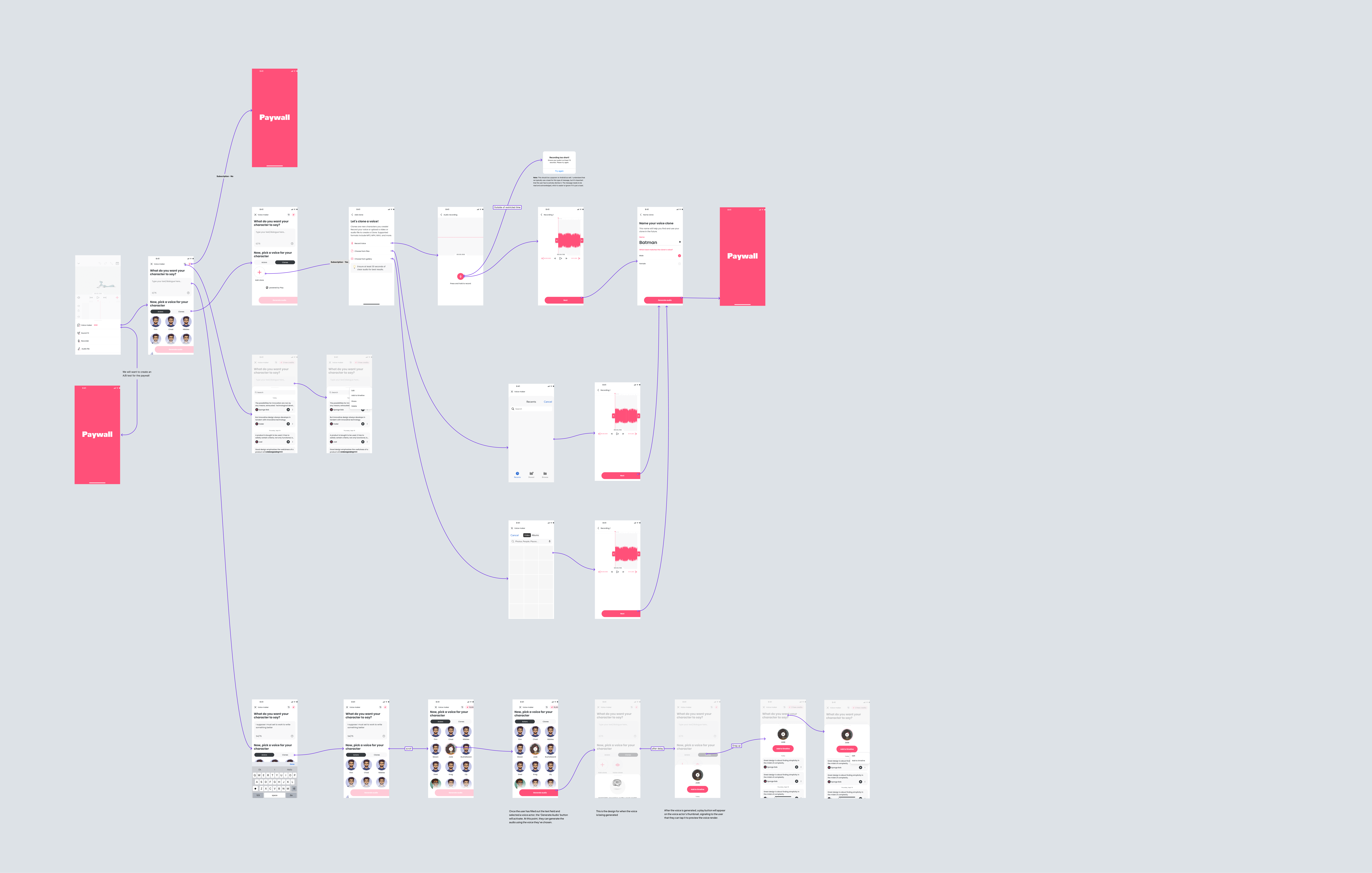
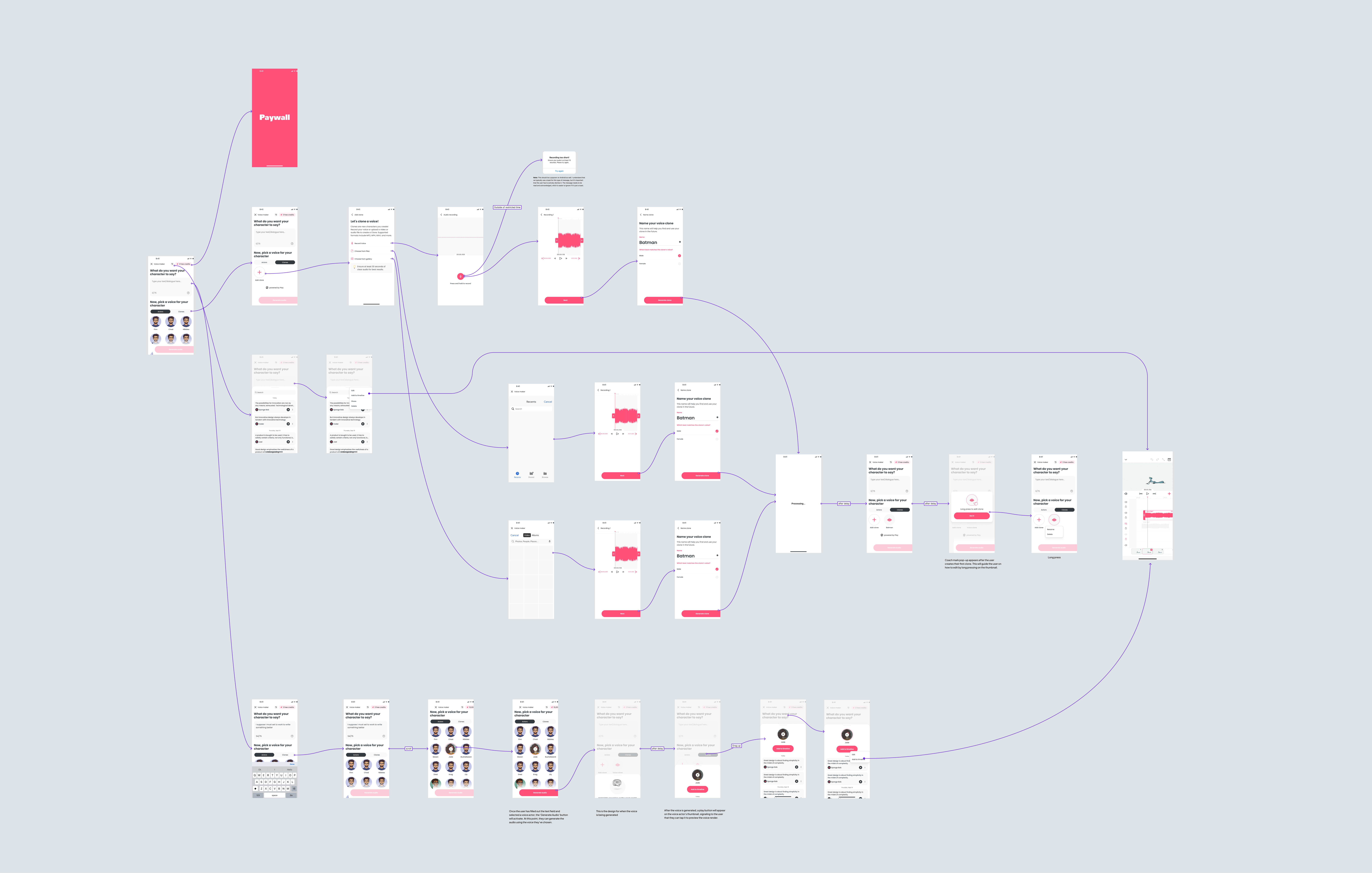
- Defined the core flow, information architecture, and interaction patterns
- Created wireframes, UI, specs, and edge case coverage
- Helped shape naming and positioning so the feature was easy to understand and use
Problem
Flipaclip’s audience is largely beginner animators creating on touch devices. They want character voiceovers, but most are not voice actors and cannot afford hiring talent. Prior workflows required leaving the app, creating audio elsewhere, and importing it back into a project, which added friction and slowed down iteration.
Solution
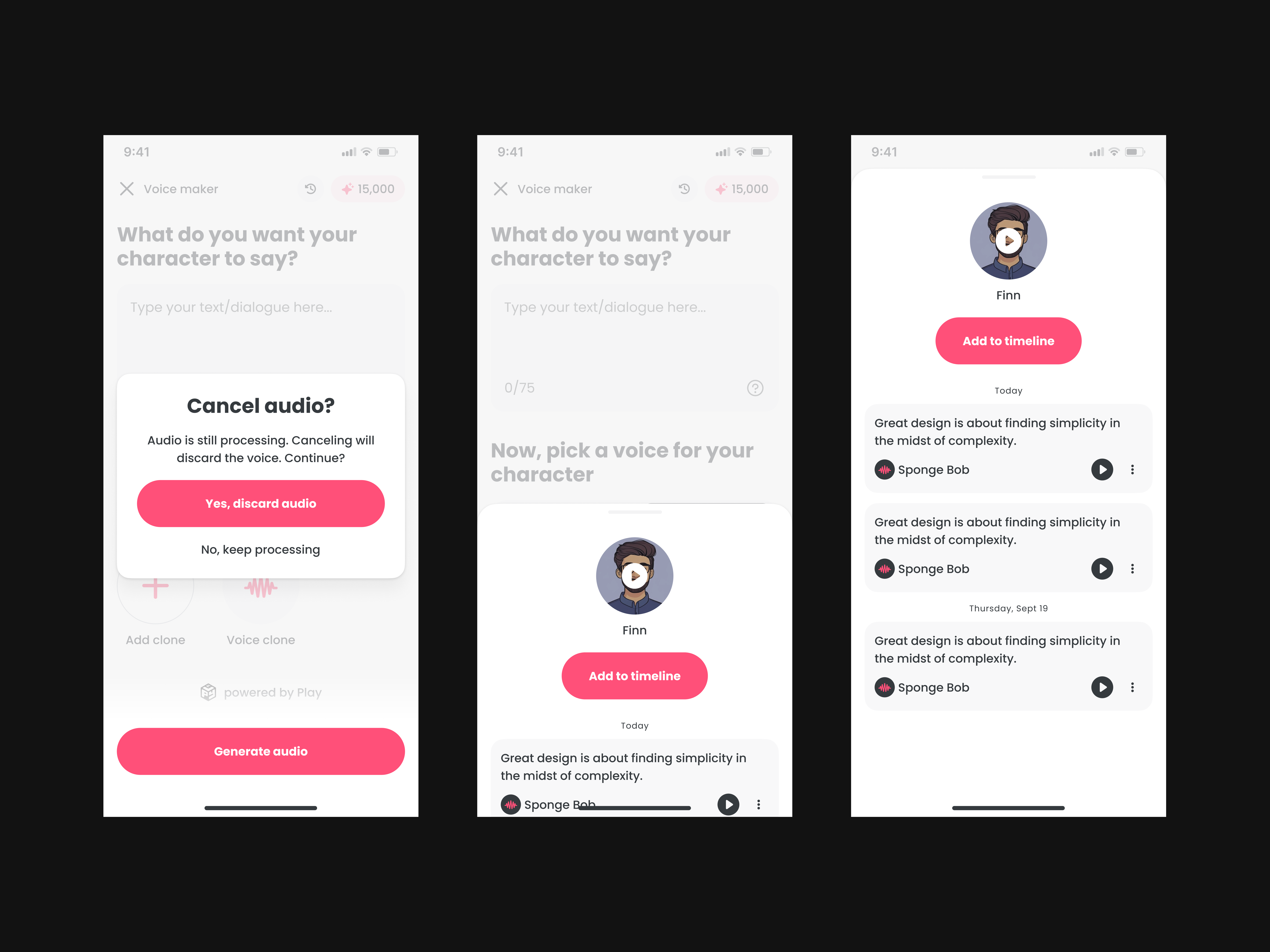
Voice Maker introduced an in app audio generation workflow designed for speed, clarity, and repeat use.
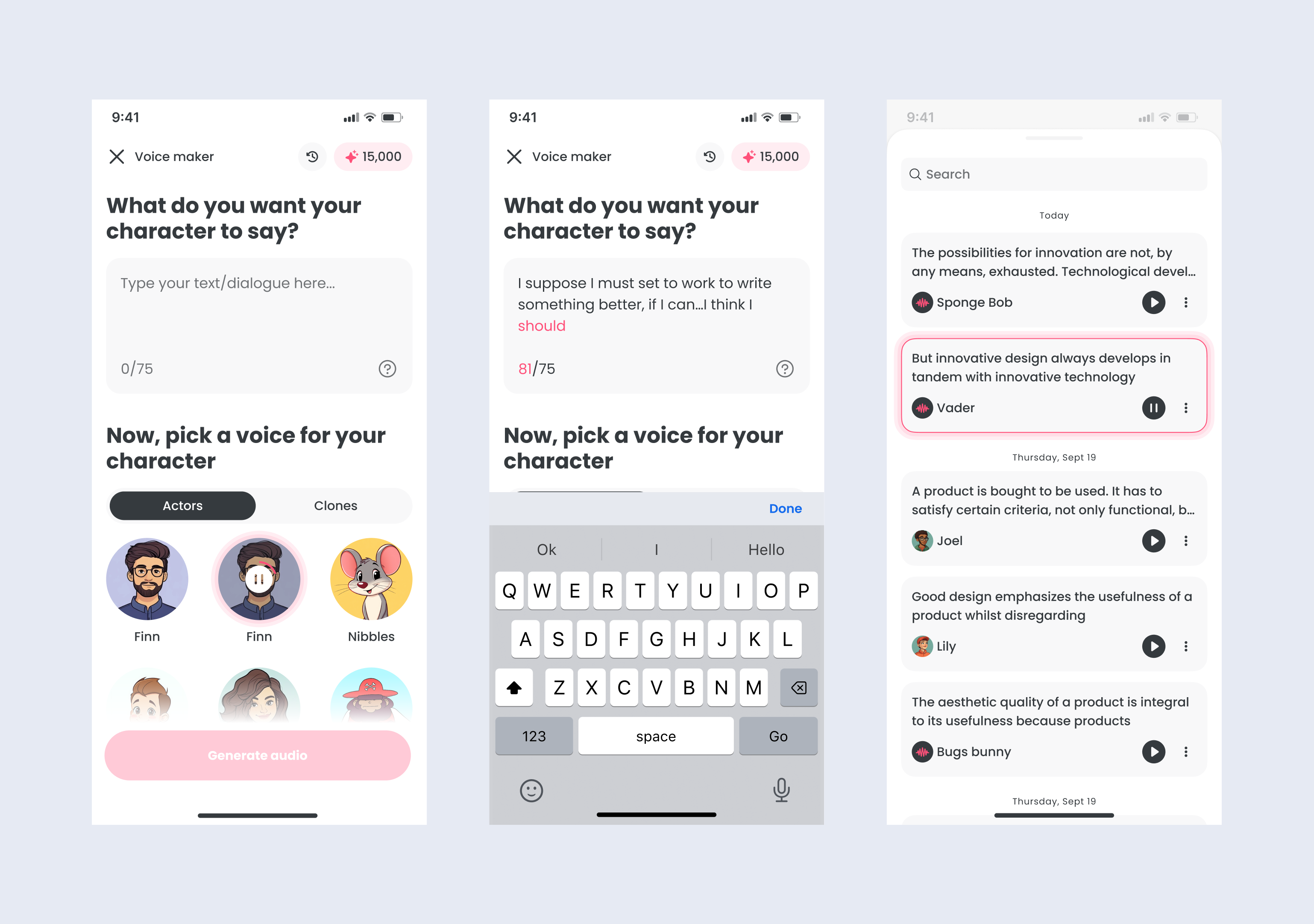
Text to speech creation
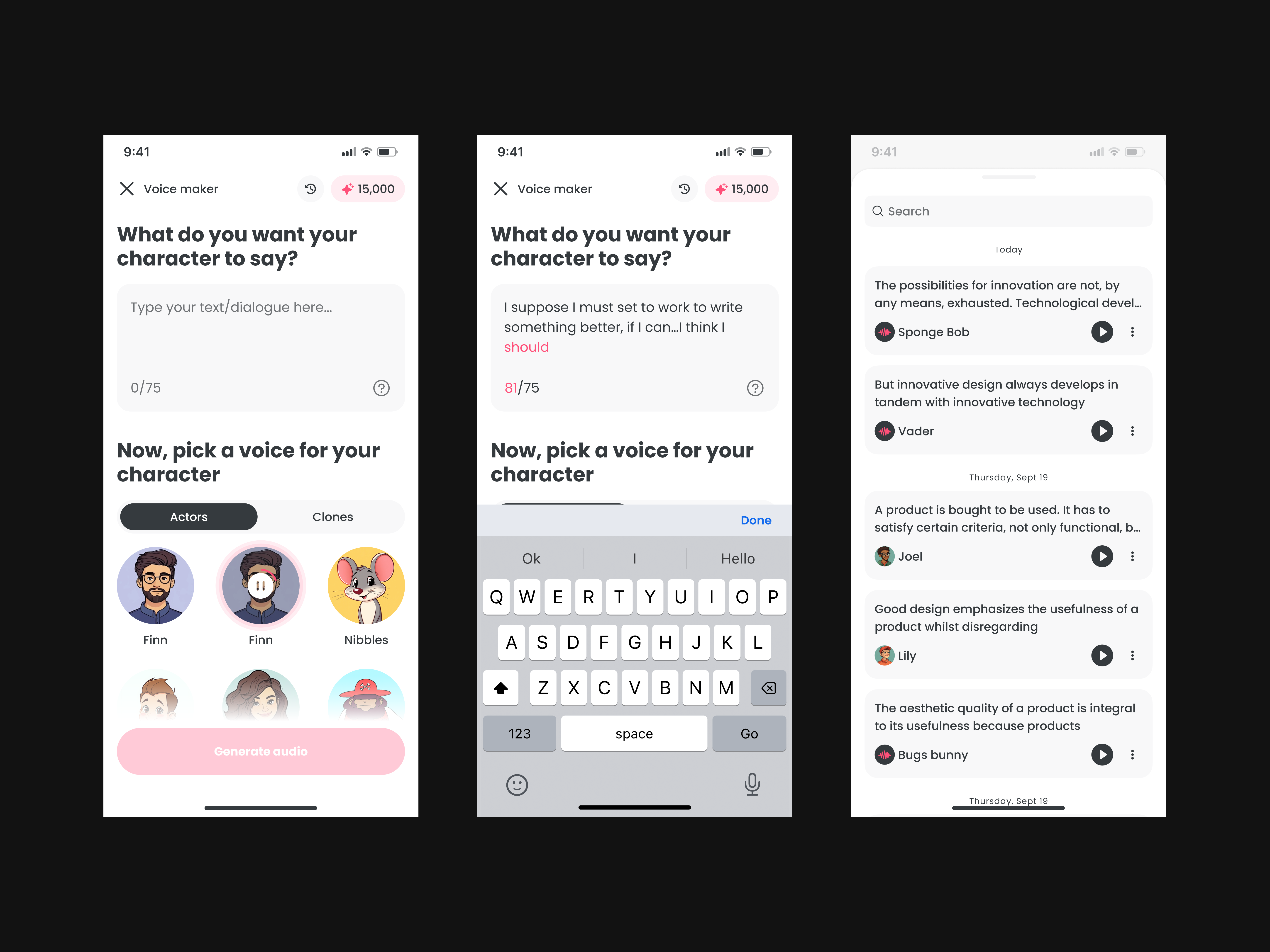
- Type dialogue in a simple input field with clear limits and lightweight guidance
- Select a voice on the same screen to keep the creation loop tight
- Generate audio with a single primary action
Voice selection
- Browse a curated list of voices and preview samples
- Search and filter to quickly find the right fit
- Consistent selection behavior to reduce trial and error
Clones
- Create a custom clone by recording audio or uploading a file
- Keep clones in a dedicated tab alongside voice actors
- Basic management actions like rename and delete
Generated audio library
- View previously generated clips, organized by recency
- Quick playback for review
- Options to edit placement in timeline, share, or delete
- Search support to find clips without scrolling
Credits and usage
- Display remaining credits to set expectations and reduce surprises
- Provide simple tracking so users understand limits while working
Pros and Cons
Pros
- Makes voiceovers accessible for beginner creators
- Keeps the workflow inside Flipaclip from writing to usable audio
- Encourages experimentation with multiple voices and takes
- Supports reuse through a library and simple management tools
Cons
- Requires clear product language so users understand what the tool does
- Voice tools increase expectations around transparency and guardrails
- Cloning introduces higher sensitivity around clarity and responsible use
User Testing Results
Iteration focused on reducing friction between writing, previewing, and redoing output. Key improvements included:
- Keeping the primary creation loop on one screen so users can adjust text and voice quickly
- Adding a dedicated library so users can replay and reuse clips instead of starting over
- Adding lightweight guidance for cloning inputs to improve success and reduce confusion
Analytics
I do not have public numbers to share. The strongest signal was repeat usage: users generated multiple clips per session and returned to saved audio, indicating the feature became part of a normal creation workflow.
Outcome and Impact
Voice Maker shipped as a core capability that helps creators produce more polished animations without paying for voice talent. It made voiceover creation faster, easier to iterate on, and accessible across tablets and phones.